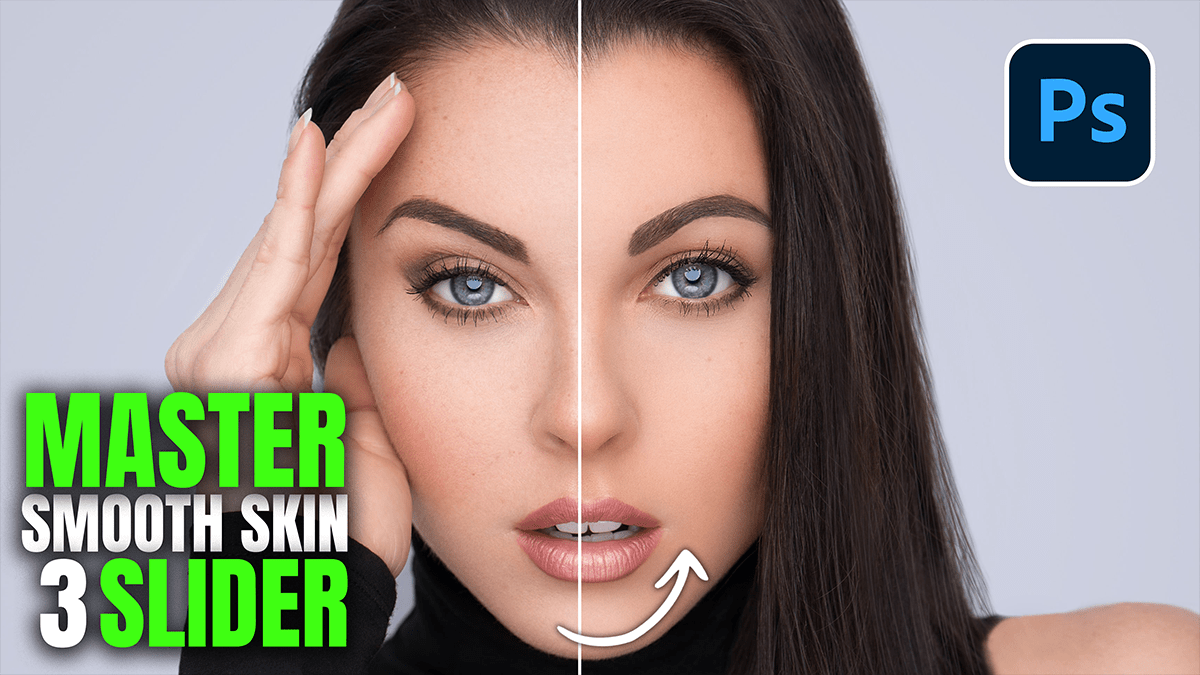

Therefore, to master smooth skin in Adobe Camera Raw (ACR) 2026, the user can achieve professional results by focusing on the Effects panel or specific Masking adjustments. In other words, while complex retouching often requires many steps, “The Three-Slider Method” relies on manipulating texture and midtone contrast to soften skin while preserving natural pores.
Three Sliders for Smooth Skin: Adobe Camera Raw Filter 2026,
The Three-Slider Method:
Therefore, navigate to the Effects panel (or apply these within a People > Facial Skin mask for localized results):
Texture: In other words, move the slider to the left (negative values). This specifically targets medium-sized details. Reducing texture smooths out bumps and blemishes without making the skin look like plastic.
Clarity: However, move the slider to the left (negative values). Clarity affects midtone contrast. Lowering this adds a “dreamy” softness and further blends skin tones, though the user should be careful not to overdo it, as it can reduce the 3D depth of the face.
Dehaze: In other words, move the slider slightly to the left (negative values). In the context of skin, a small negative Dehaze adjustment can act as a “glow” or “soft-focus” filter, subtly evening out tonal transitions.
Three Sliders for Smooth Skin: Adobe Camera Raw Filter 2026,
Optimizing for 2026 Features:
However, while the sliders above provide the smoothing, the 2026 version of ACR enhances the process through smarter selection:
AI Masking: In addition, instead of applying these sliders to the whole image, the user should select the Masking icon (circle with a dotted border) and choose People. ACR 2026 allows for the selection of “Facial Skin” and “Body Skin” separately.
Amount Slider: After adjusting the three sliders within a mask, use the Amount slider at the top of the Masking panel to dial back the overall intensity of the effect if the smoothing appears too aggressive.
Quick Workflow Summary:
| Slider | Direction | Result |
| Texture | Negative (-10 to -30) | Removes small blemishes/pores. |
| Clarity | Negative (-5 to -20) | Softens edges and midtone transitions. |
| Dehaze | Negative (-2 to -10) | Adds a subtle, glowing softness. |
In conclusion, by applying these three sliders to an AI-generated Skin Mask, the user maintains the sharpness of the eyes and hair while achieving a clean, professional portrait look in seconds.
