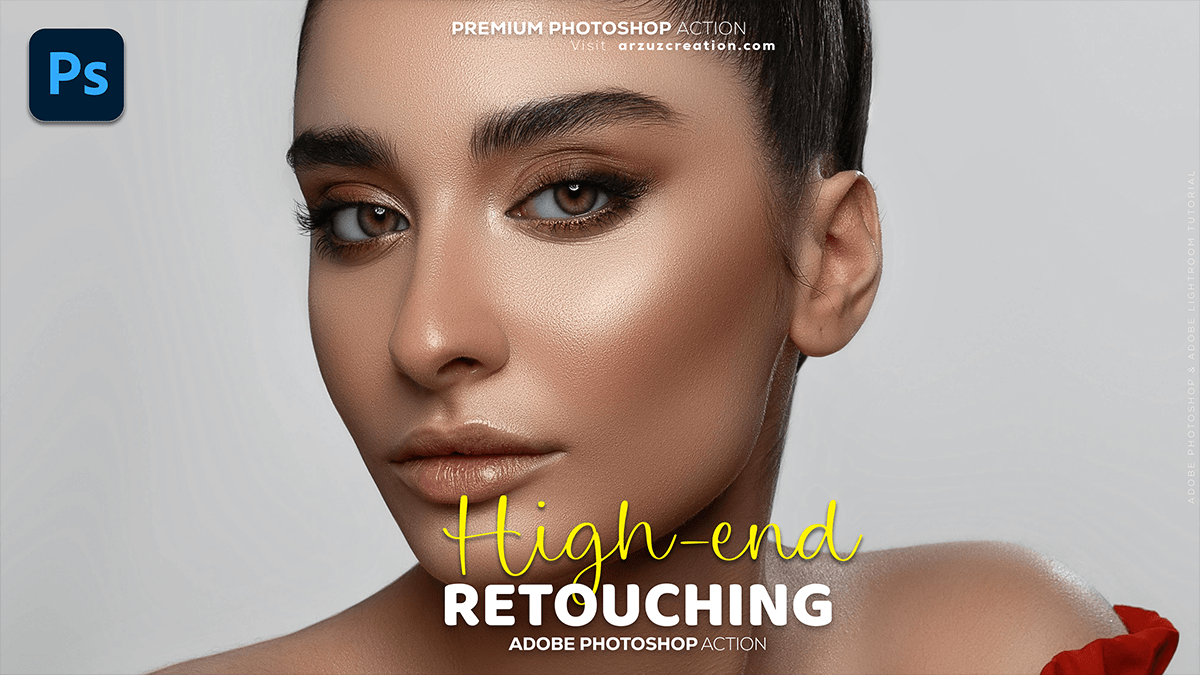
High-End Skin Beauty Retouching Adobe Photoshop 2025,
Therefore, that’s a great topic! High-end skin retouching in Photoshop is all about achieving a natural, flawless look while preserving genuine skin texture—avoiding the ‘plastic doll’ effect.

High-End Skin Beauty Retouching Adobe Photoshop 2025,
Therefore, the professional workflow generally combines several advanced techniques.
🎨 Core High-End Retouching Techniques:
Therefore, the two cornerstones of professional skin retouching are Frequency Separation and Dodge and Burn. They serve different, complementary purposes.
| Technique | Primary Purpose | What it Edits |
| Frequency Separation (FS) | Structural fixes and smoothing. Separates an image into two layers: one for texture and one for color/tone. | Texture Layer (High Frequency): Fine details, blemishes, pores, fine lines. Color/Tone Layer (Low Frequency): Color shifts, uneven tones, and blotchiness. |
| Dodge and Burn (D&B) | Sculpting light, dimension, and volume. Selectively lightens (Dodge) or darkens (Burn) areas to enhance shape and contrast. | Sculpting: Enhances facial structure, highlights, and shadows for a three-dimensional look. Micro D&B: Targets small, localized tonal inconsistencies. |
🛠️ Typical High-End Retouching Workflow:
Therefore, A professional workflow usually follows these steps:
1. Initial Cleanup (Blemish Removal)
- Therefore, use the Spot Healing Brush Tool or Clone Stamp Tool on a new, empty layer set to Current & Below to remove major blemishes, stray hairs, and dust meticulously. This is your foundation.
2. Global Skin Smoothing (Frequency Separation)
- Set up the FS layers: Above all, you create a “Low” frequency layer (color/tone) and a “High” frequency layer (texture).
- Low Frequency: In other words, use the Mixer Brush Tool or Gaussian Blur (with a mask) to gently blend areas of uneven skin tone and color transitions. The goal is to smooth out patches without affecting the texture layer.
- High Frequency: However, use the Clone Stamp Tool or Healing Brush Tool on the texture layer to subtly repair problem textures (like enlarged pores or excessive oiliness) by cloning texture from surrounding, good areas.
High-End Skin Beauty Retouching Adobe Photoshop 2025,
3. Adding Dimension (Dodge & Burn)
- Global D&B: In other words, use dedicated curves or grey layers with the blend mode set to Soft Light or Overlay to sculpt the face, enhancing highlights (dodging) on the cheekbones, nose, and forehead, and deepening shadows (burning) under the jawline or on the cheeks.
- Micro D&B: However, Zoom in and use a small brush on dedicated D&B layers to fix small, localized tonal variations and spots left after Frequency Separation, ensuring smooth transitions between light and shadow.
4. Color Correction and Grading:
- Hue/Saturation/Selective Color: In other words, correct any unwanted color casts (e.g., redness, yellowing) in specific areas or the skin as a whole.
- Color Grading: Apply a final adjustment to establish the overall mood and aesthetic of the photo.
High-End Skin Beauty Retouching Adobe Photoshop 2025,
5. Final Details:
- Sharpening: In other words, apply selective sharpening to key areas like the eyes, lips, and hair to make them pop, often using a High Pass filter on a duplicate layer set to Overlay or Soft Light and masked to just the important details.
- Grain/Texture: In other words, if the smoothing was too aggressive, sometimes a subtle layer of digital film grain can be added to restore a natural feel.
For practical, step-by-step guidance, searching YouTube for “High-End Skin Retouching Frequency Separation” or “Professional Beauty Retouching Photoshop” will provide excellent video tutorials.
Is there a specific technique you’d like to learn more about, like Frequency Separation or Micro Dodge and Burn?
