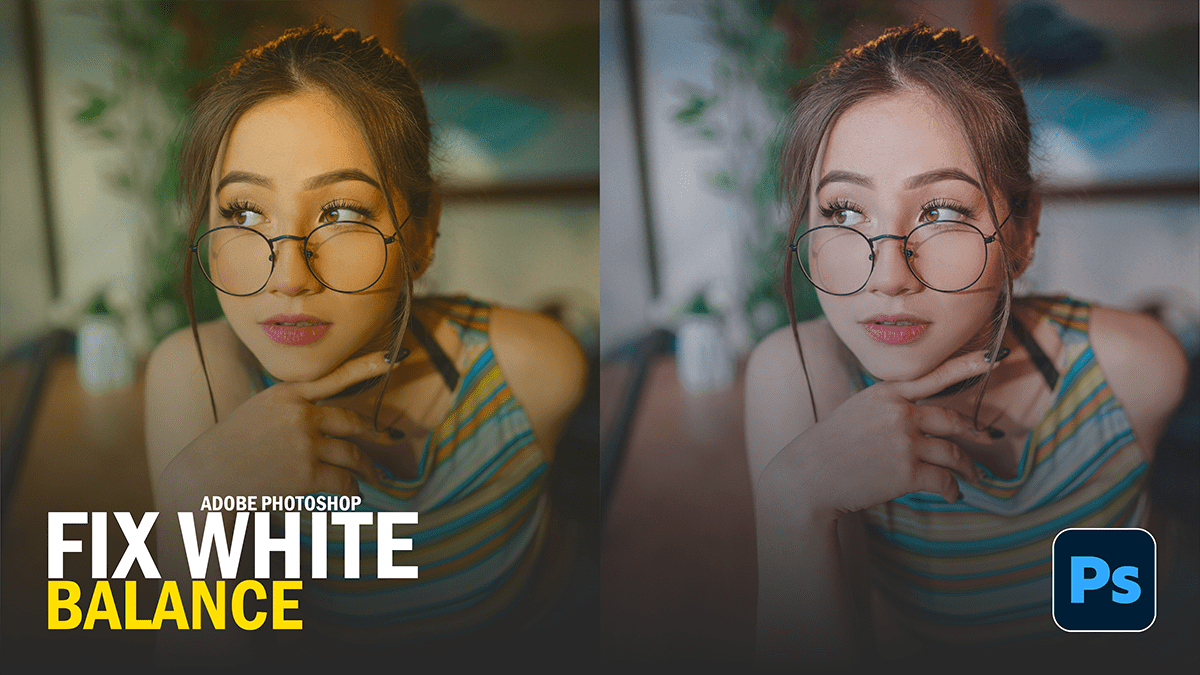
How to Fix White Balance in Adobe Photoshop 2026,

Therefore, in Adobe Photoshop 2026, the workflow for fixing white balance has been significantly upgraded. While the traditional “Camera Raw” method is still available, the 2026 release introduces a dedicated, non-destructive adjustment layer that makes the process much faster.
How to Fix White Balance in Adobe Photoshop 2026,
However, here are the three best ways to fix white balance in the latest version:
1. The New “Color and Vibrance” Adjustment Layer (Best for Speed)
Therefore, this is the standout feature of the 2026 update. You no longer have to open a separate filter window to access Temperature and Tint sliders.
How to do it: Open the Adjustments panel and click on the new Color and Vibrance icon (which replaces the old Vibrance tool).
The Controls: Use the Temperature slider to move between Blue (cool) and Yellow (warm), and the Tint slider to move between Green and Magenta.
Why it’s better: It is fully non-destructive and lives in your Layers panel, allowing you to go back and tweak it at any time without re-entering Camera Raw.
How to Fix White Balance in Adobe Photoshop 2026,
2. The Camera Raw Filter (Best for Precision)
Therefore, if you need the most powerful engine for color correction, the Camera Raw Filter remains the professional standard, especially for “eye-dropper” accuracy.
Step 1: In other words, select your image layer and go to Filter > Camera Raw Filter… (or press Shift + Cmd/Ctrl + A).
Step 2: Select the White Balance Tool (the eyedropper icon) from the toolbar on the right.
Method 3: In other words, click on a part of your image that should be a neutral gray or white (like a white shirt, a gray wall, or a sidewalk).
Step 4: Photoshop will instantly calculate the math to neutralize the color cast.
3. The Curves Eyedropper Trick (The Classic “Pro” Method)
In other words, this method is incredibly fast if you want to stay within the main Photoshop interface without using the new 2026 sliders.
In other words, add a Curves Adjustment Layer.
However, in the Properties panel, you will see three eyedroppers. Click the middle one (the Gray Point sampler).
In other words, click on a neutral area in your photo.
Pro Tip: ifwever, If you can’t find a neutral area, look for a “50% gray” spot. This instantly snaps the red, green, and blue channels into alignment.
How to Fix White Balance in Adobe Photoshop 2026,
Comparison of Methods:
| Method | Best Use Case | Non-Destructive? |
| Color & Vibrance (2026) | Quick, Lightroom-style edits | Yes |
| Camera Raw Filter | Maximum control & RAW files | Yes (if used as Smart Filter) |
| Curves Eyedropper | Scientific neutrality | Yes |
Would you like me to walk you through how to use the “Gray Card” technique for perfectly consistent white balance across multiple photos?
