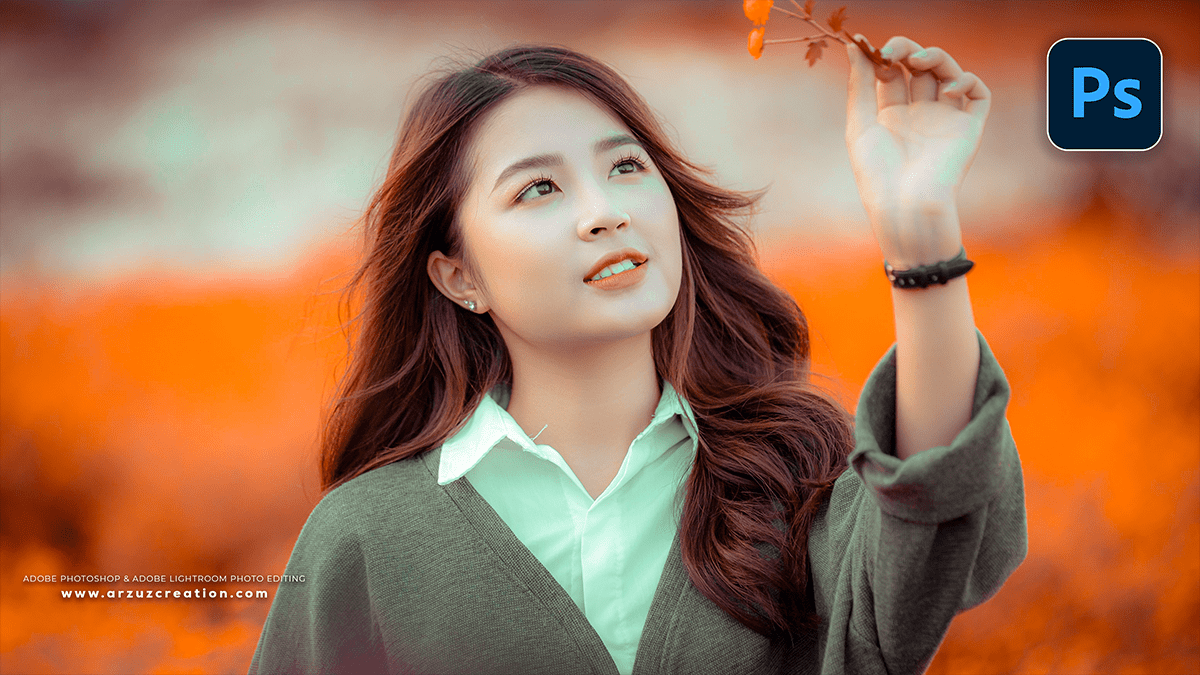
Autumn Colour Tone Adobe Photoshop Camera Raw Filter 2025,
🍁 Autumn Color Grading in Adobe Camera Raw (Photoshop)

Therefore, creating a rich, vibrant autumn look in your photos using the Adobe Camera Raw filter (accessible from Photoshop’s Filter menu) primarily involves warming up the image and manipulating the Reds, Oranges, and Yellows in the HSL/Color Mixer panel.
Autumn Colour Tone Adobe Photoshop Camera Raw Filter 2025,
In other words, here is a general, step-by-step guide focusing on the key adjustments in Camera Raw:
1. Basic Adjustments (The Foundation)
Therefore, start with the Basic panel to set your overall tone and exposure.
White Balance:
Therefore, slightly increase the Temperature (push towards yellow/orange) to add warmth. A Kelvin value between 5500K and 6500K is often a good starting point, depending on the original shot.
In other words, slightly increase the Tint (push towards magenta) to balance any excess green from foliage.
Tone:
Therefore, Increase Exposure slightly if the image is dark.
In other words, Increase Contrast for more pop.
Therefore, Reduce Highlights and increase Shadows to recover detail in both bright skies and dark foliage/ground.
In other words, increase Whites and Blacks (judiciously) to set the furthest bright and dark points.
Presence (Optional but helpful):
Therefore, slightly increase Clarity to add midtone contrast and detail.
In other words, slightly increase Vibrance to boost the intensity of less-saturated colors (good for autumn tones).
Therefore, Reduce Saturation slightly if the colors look too harsh after the HSL adjustments (see below).
Autumn Colour Tone Adobe Photoshop Camera Raw Filter 2025,
2. Hue, Saturation, and Luminance (HSL/Color Mixer)
Therefore, this is the most crucial step for transforming greens into autumn colors and enhancing existing warm tones.
In other words, navigate to the HSL/Color Mixer tab:
Hue:
Yellows: Slide slightly towards Orange (left) to make yellow leaves appear more golden/orange.
Greens: Slide significantly towards Yellow or Orange (left) to change summer green foliage into an autumnal color.
Blues (for sky/water): In other words, slide slightly towards Cyan (left) for a deeper, contrasting blue or slightly towards Purple (right) for a more moody feel.
Saturation:
Reds, Oranges, Yellows: In other words, I increased these sliders significantly to make the autumn colors vibrant.
Greens: Decrease to reduce any remaining unnatural green, or increase slightly if you want a particular green to remain.
Blues: Slightly decrease to make the warm tones of the foreground pop more, or increase for a punchy sky.
Luminance (Brightness):
Reds, Oranges, Yellows: In other words, adjust based on preference. Decreasing slightly can give the colors a richer, deeper look; increasing can make them glow.
Greens, Blues: Decrease these to make the sky or dark foliage moody and help the warm tones stand out.
Autumn Colour Tone Adobe Photoshop Camera Raw Filter 2025,
3. Color Grading (Advanced Toning)
However, navigate to the Color Grading tab for final color adjustments or cinematic effects. This panel allows you to apply different color tints to the Shadows, Midtones, and Highlights.
Shadows: In other words, select a subtle Cool color (e.g., deep blue or cyan) and set the Saturation low. This provides a pleasing contrast between warm and cool tones.
Highlights: Select a Warm color (e.g., orange or yellow) and set the Saturation low. This enhances the glow of the sunlit areas.
Blending and Balance: Adjust the Blending slider to control how the tones transition, and the Balance slider to shift the focus between the shadow and highlight tones.
Autumn Colour Tone Adobe Photoshop Camera Raw Filter 2025,
Summary of Key Autumn Moves:
| Panel | Slider | Direction | Goal |
| Basic | Temperature | \rightarrow (Warm) | Add overall golden warmth. |
| HSL/Hue | Yellows | \leftarrow (Orange) | Make yellows more orange/gold. |
| HSL/Hue | Greens | \leftarrow (Yellow/Orange) | Convert green foliage to fall colors. |
| HSL/Sat | Reds/Oranges/Yellows | \rightarrow (High Sat) | Make warm colors pop. |
| Color Grading | Shadows | Cool Tone | Add contrast and depth. |
Would you like me to find a specific video tutorial that demonstrates this process in Adobe Camera Raw?
