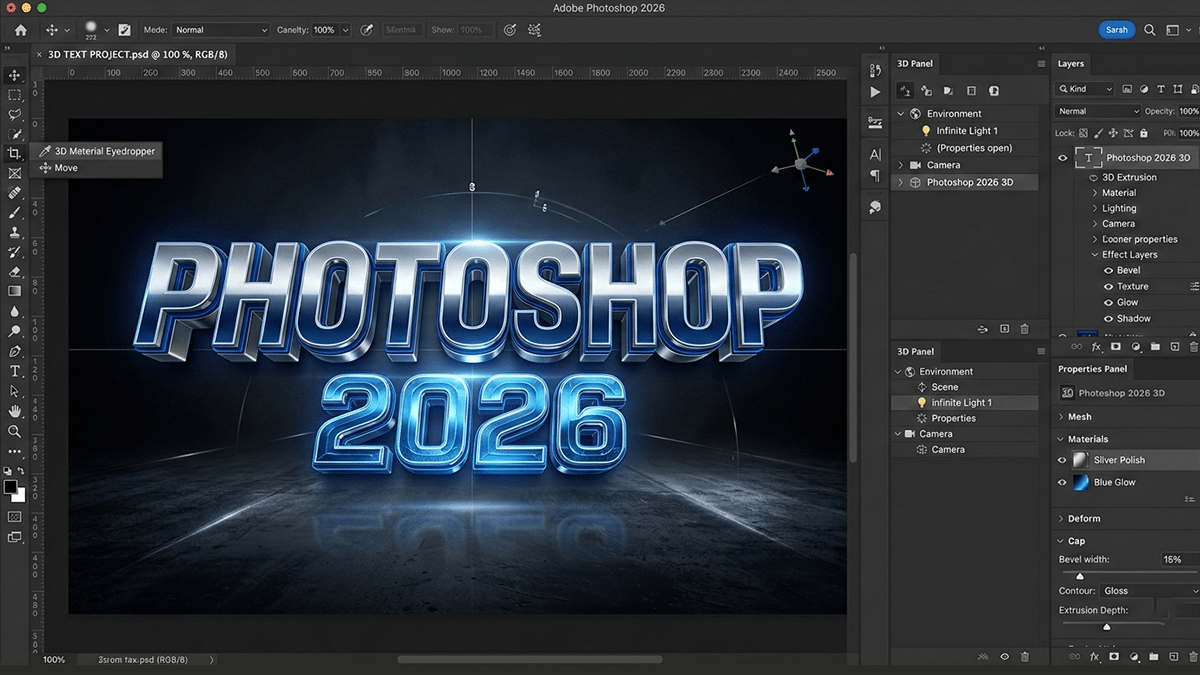
Adobe Photoshop 2026 3D Workflow For Beginners,

Therefore, as of late 2021, Adobe has officially discontinued the native 3D features within Photoshop.
In other words, if you are looking to work with 3D within the Adobe ecosystem, you are now directed to the Adobe Substance 3D Collection, which is a separate suite of dedicated 3D tools.
Adobe Photoshop 2026 3D Workflow For Beginners,
In other words, here is a complete breakdown of the current situation regarding Photoshop and 3D, and the new workflow Adobe provides.
1. The Discontinuation of Photoshop 3D:
Therefore, Adobe retired the legacy 3D features starting with Photoshop version 22.5.
Why did they remove them?
However, the primary reason was the industry shift in how computers handle graphics. Photoshop’s 3D engine relied on an older technology called OpenGL. Modern operating systems (like macOS with Metal and Windows with DirectX) have moved toward newer native APIs.
In other words, Adobe decided that instead of completely rewriting Photoshop’s limited 3D engine to support these new APIs, they would focus Photoshop on its core strength (2D image editing) and move 3D workflows to dedicated, powerful new software.
Adobe Photoshop 2026 3D Workflow For Beginners
What features are gone?
However, in current versions of Photoshop, you can no longer natively:
- Create 3D Text or Extrusions.
- Import 3D model files (OBJ, STL, DAE, etc.).
- Manipulate 3D meshes, lighting, or cameras within the app.
- Generate Normal or Bump maps from 2D layers.
- Edit Spherical Panoramas.
2. How to use 3D in Adobe Today: Substance 3D
For instance, to fill the gap left by the removal of native tools, Adobe acquired Allegorithmic (the creators of Substance) and launched the Adobe Substance 3D Collection. These are professional-grade, specialized 3D applications.
For instance, the collection includes four main apps:
| Application | Best For | What it does |
| Substance 3D Stager | Scene Layout & Rendering | Like a virtual photo studio. You import models, arrange them, apply materials, set up lighting, and render photorealistic images. It is the closest modern replacement for the “arranging” part of Photoshop 3D. |
| Substance 3D Painter | Texturing & Painting | The industry standard for painting directly onto 3D models. You can apply realistic materials, smart masks, and effects. It uses layers, similar to Photoshop, but in 3D. |
| Substance 3D Sampler | Material Creation from Images | Transforms photos into 3D materials. If you take a picture of a brick wall, Sampler can automatically generate the height, normal, and roughness maps needed to make a 3D surface look like that wall. |
| Substance 3D Designer | Parametric Material Creation | A node-based tool used to create seamless, tileable materials and dynamic effects from scratch. This is a more advanced tool for material authors. |
Adobe Photoshop 2026 3D Workflow For Beginners:
3. The New Photoshop-3D Workflow:
For instance, although Photoshop can no longer create or manipulate 3D assets, it is still crucial for the final compositing and retouching stage.
Above all, the modern workflow looks like this:
Create/Source Model: After that, create a base model in a tool like Substance 3D Modeler, Blender, or source one from Adobe Stock.
Adobe Photoshop 2026 3D Workflow For Beginners,
Texture: Use Substance 3D Painter to paint realistic textures and materials onto the model.
Stage & Render: Above all, bring the textured model into Substance 3D Stager. Arrange the camera, add lights, and render the scene as a high-quality 2D image (e.g., PSD or TIFF).
Finalize in Photoshop: Open the rendered image in Photoshop. You can now use all your standard Photoshop tools to add background elements, adjust colors, apply camera raw filters, and retouch the image.
4. What if I need the old Photoshop 3D?
Above all, if you rely on a legacy workflow and cannot switch to Substance 3D immediately, you have two options:
Option A: Use the Adobe Substance 3D Viewer (Beta)
In addition, Adobe has released a beta plugin that allows you to import and view 3D models directly within the Photoshop (Beta) application. While this doesn’t offer the full editing capabilities of the old 3D engine, it does allow you to place a 3D object into your 2D composition for lighting and perspective matching.
Option B: Install an Older Version of Photoshop
Above all, you can use the Adobe Creative Cloud desktop app to install a previous version of Photoshop that still contains the 3D features.
In addition, the last version with full, non-buggy 3D support is Photoshop 22.2 (from early 2021).
Warning: Running older software may lead to compatibility issues with newer operating systems, and you will miss out on new Photoshop features like Generative Fill.
