Arzuz Creation

Professional Graphic Design and Editing

Applying Presets in Adobe Photoshop 2026

Applying Presets in Adobe Photoshop 2026,

Applying a preset in Photoshop depends entirely on what kind of preset you are trying to use. The term usually refers to either Camera Raw Presets (for color grading photos) or Tool/Adjustment Presets (like brushes, gradients, or adjustment layers).
Installing Lightroom Presets: Two Methods for Beginners

Installing Lightroom Presets: Two Methods for Beginners,

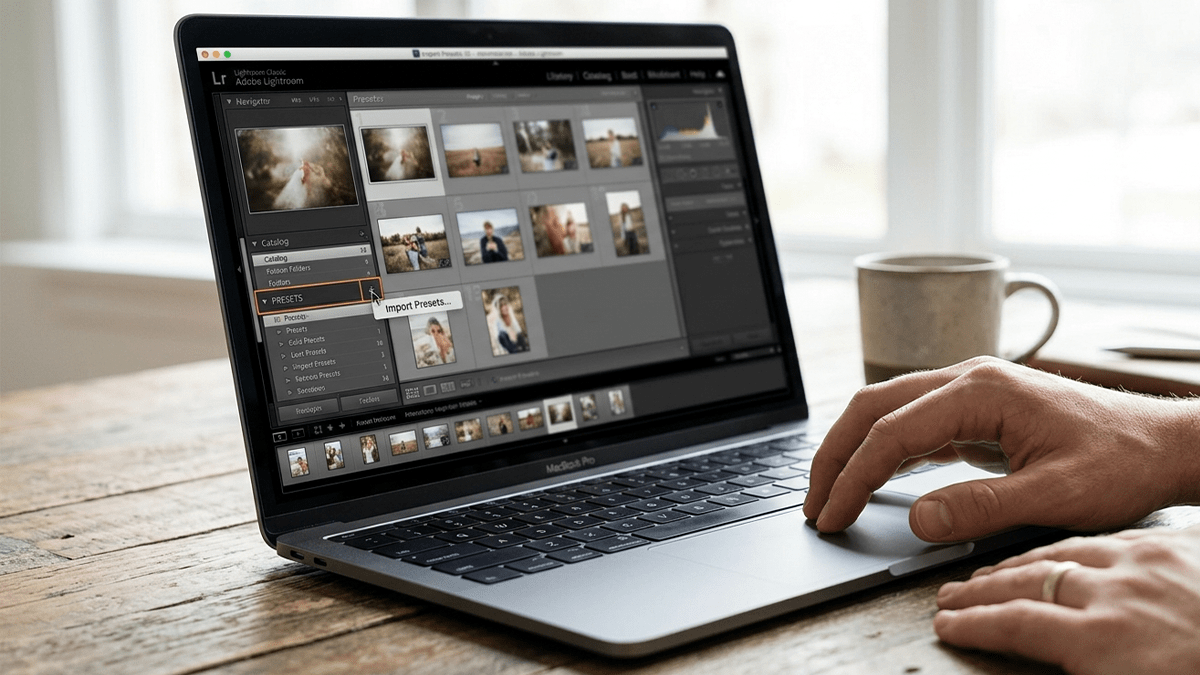
How you install presets in Adobe Lightroom depends entirely on which version you are using. Adobe split Lightroom into two different apps: Lightroom Classic (the traditional, desktop-focused app with a folder-based catalog) and Lightroom (the modern, cloud-based app that syncs across desktop, mobile, and web).

Install Camera Raw Presets Easily: Adobe Photoshop 2026

Install Camera Raw Presets Easily: Adobe Photoshop 2026,

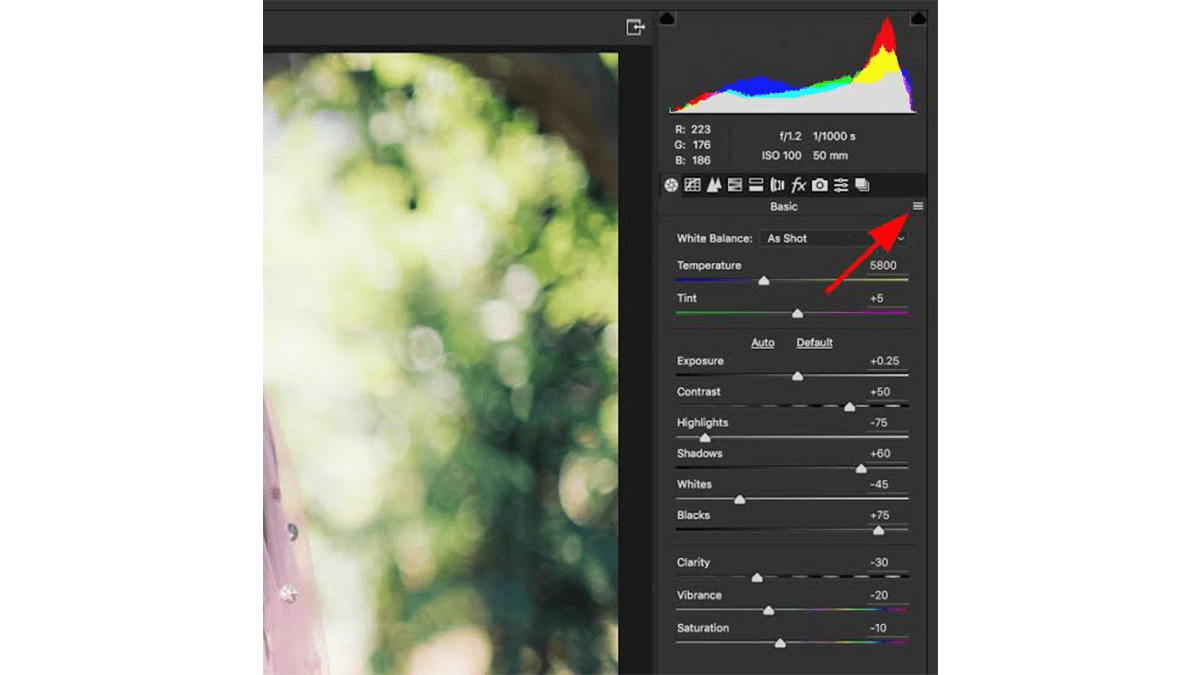
Therefore, Installing presets in Adobe Camera Raw (ACR) is actually pretty seamless now because it imports standard .xmp files directly through the interface. If you have older .lrtemplate files, Photoshop will automatically convert them for you during this process.

2026 Wedding Photo Editing Workflow in Adobe Lightroom Classic

2026 Wedding Photo Editing Workflow in Adobe Lightroom Classic,

For professional wedding photography in 2026, the standard workflow leverages Lightroom for high-volume management and Photoshop for high-end “hero” shots. Modern updates have introduced powerful AI tools that significantly reduce the time spent on manual retouching.

Photoshop Camera Raw New Updates

Photoshop Camera Raw New Updates,

The April 2026 update for Adobe Camera Raw (v18.3) and Photoshop 2026 has introduced significant shifts in how color grading and spatial adjustments are handled. The most notable change is the migration of “RAW-exclusive” tools directly into the Photoshop Layers panel as non-destructive adjustment layers.

Installing Camera Raw Presets in Adobe Photoshop 2026

Installing Camera Raw Presets in Adobe Photoshop 2026,

Installing presets in Adobe Photoshop 2026 is a straightforward process, whether you prefer to do it manually via your computer’s file system or directly within the Camera Raw interface.

Using Photoshop Camera Raw Color Presets

Using Photoshop Camera Raw Color Presets
,
Using Photoshop’s Color Grading presets within the Camera Raw Filter is a great way to maintain a consistent look across your photos. While Camera Raw uses .xmp files for its presets, the process to access and apply them is straightforward.

Complete Photo Edit and Colour Grading in Adobe Photoshop 2026

Complete Photo Edit and Colour Grading in Adobe Photoshop 2026,

A complete photo editing workflow in Photoshop 2026 combines classic non-destructive techniques with the latest agentic AI tools. Whether you are using the desktop app or the new AI Assistant on web and mobile, here is the professional sequence for a “complete” edit.

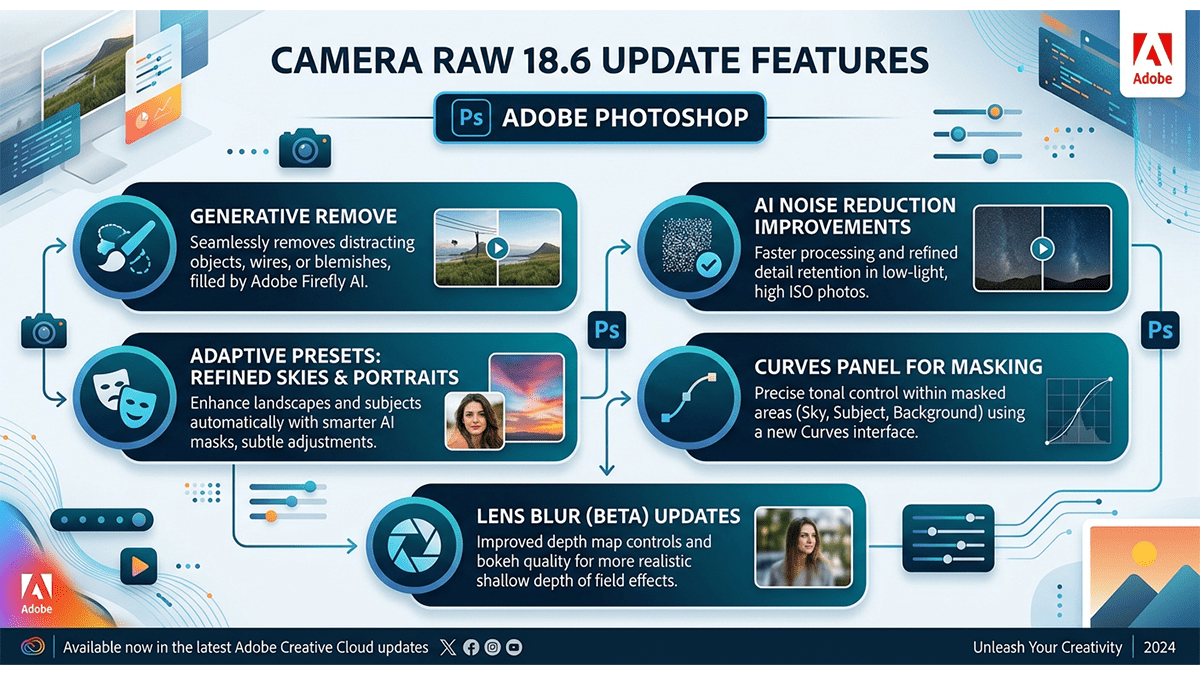
Camera Raw 18.6 Update Features: Adobe Photoshop

Camera Raw 18.6 Update Features: Adobe Photoshop,

The major update features introduced in Adobe Photoshop Camera Raw v18.6 focus on creative light controls, compositing flexibility, and streamlined workspace metadata:

Camera Raw Presets and Plugins Guide: Adobe Photoshop 2026

Camera Raw Presets and Plugins Guide: Adobe Photoshop 2026,

Installing and troubleshooting Camera Raw presets and plugins is often a matter of placing files in the correct directory or ensuring your software version is up to date. As of 2026, Adobe has unified much of the file structure between Photoshop and Lightroom Classic, making synchronization easier.

Wedding Photo Editing Presets Photoshop 2026

Wedding Photo Editing Presets Photoshop 2026,

Professional wedding photo editing in 2026 has shifted away from heavy, “one-size-fits-all” filters toward Authentic Realism and Cinematic Storytelling. While Lightroom handles the bulk of the work, Photoshop is reserved for “Hero Shots”—the top 5% of images intended for albums or large prints.